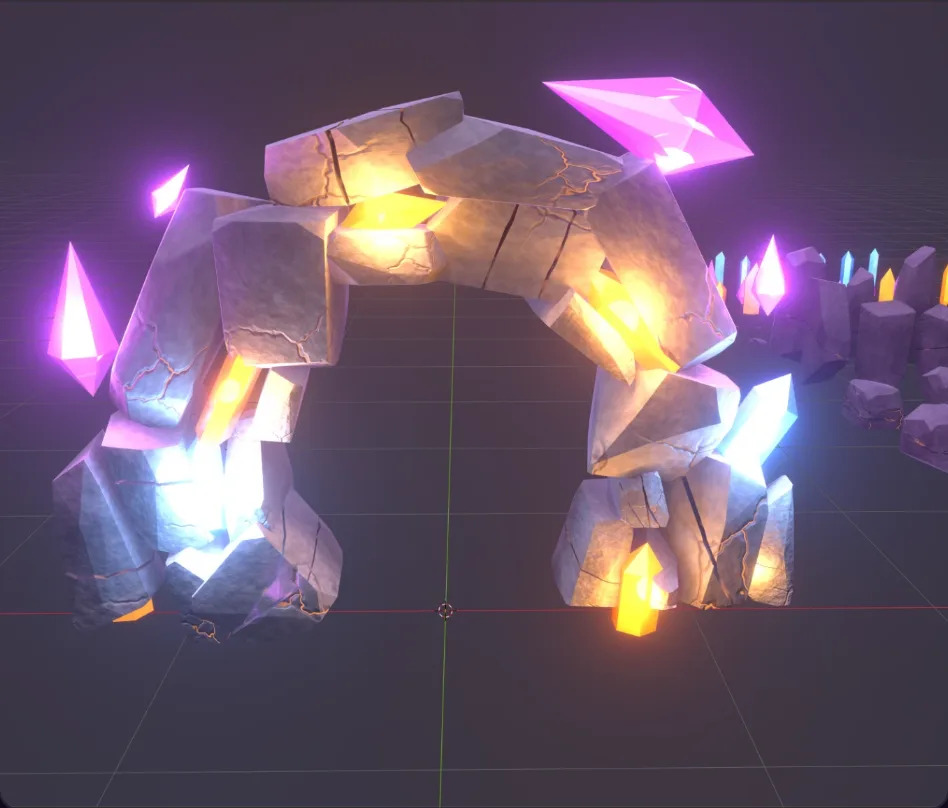
AI-Generated 3D Assets with Blender MCP
I've been experimenting with using AI to create 3D assets for a hobby WebXR VR game, and thought it was interesting enough to share.
I used GPT to generate the concept art, then experimented with Opus 5.5 and Blender MCP to turn it into a 3D model. My first few attempts weren't great, but switching to an approach based on smaller building blocks produced a result that was much closer to the original than I expected.
I'm sure there are better ways to do this, but I ended up with a GLB that seems to perform well in the browser.
Here's the process, the iterations and a few things I learned along the way.
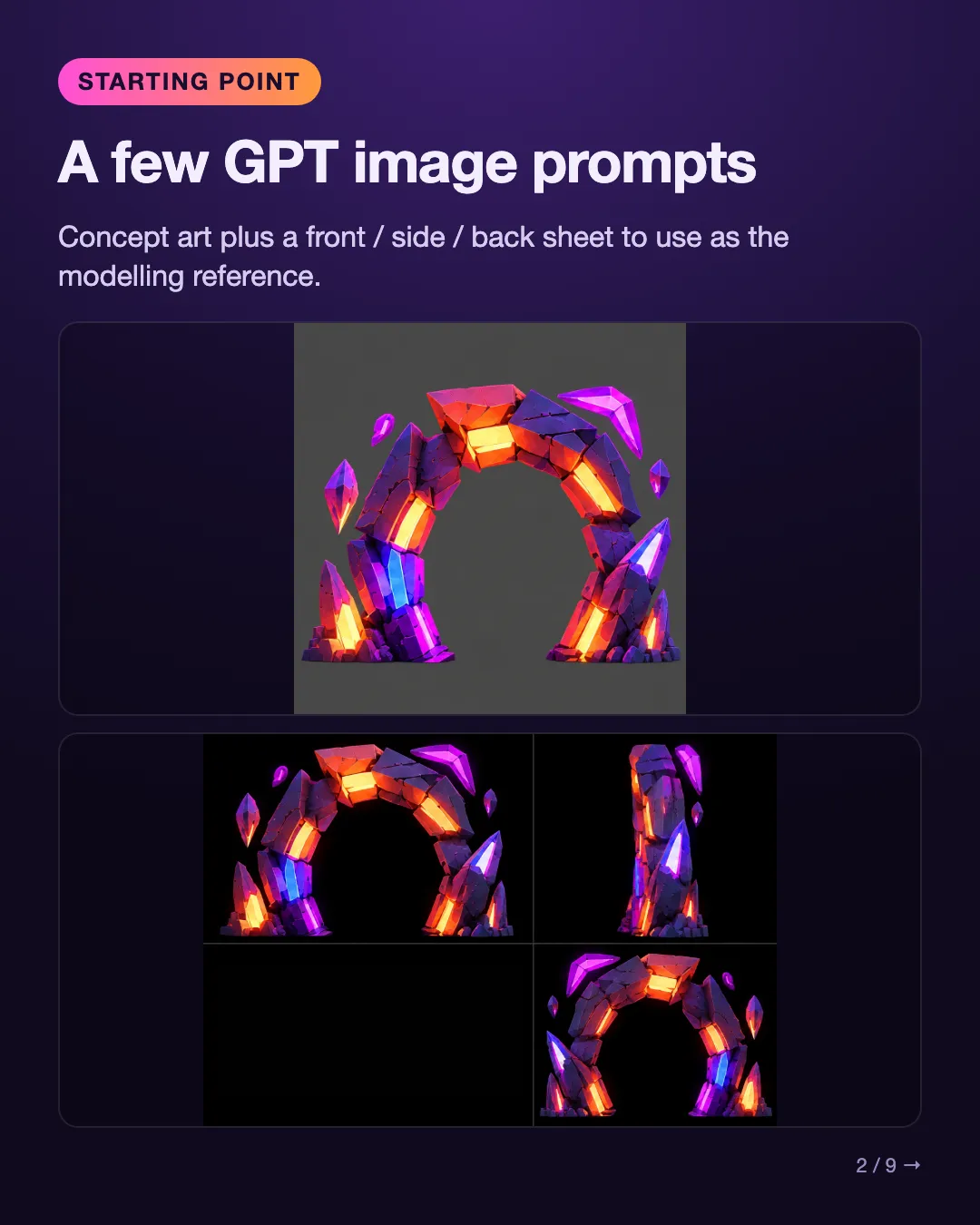
Starting point: a few GPT image prompts
Concept art plus a front / side / back sheet to use as the modelling reference.
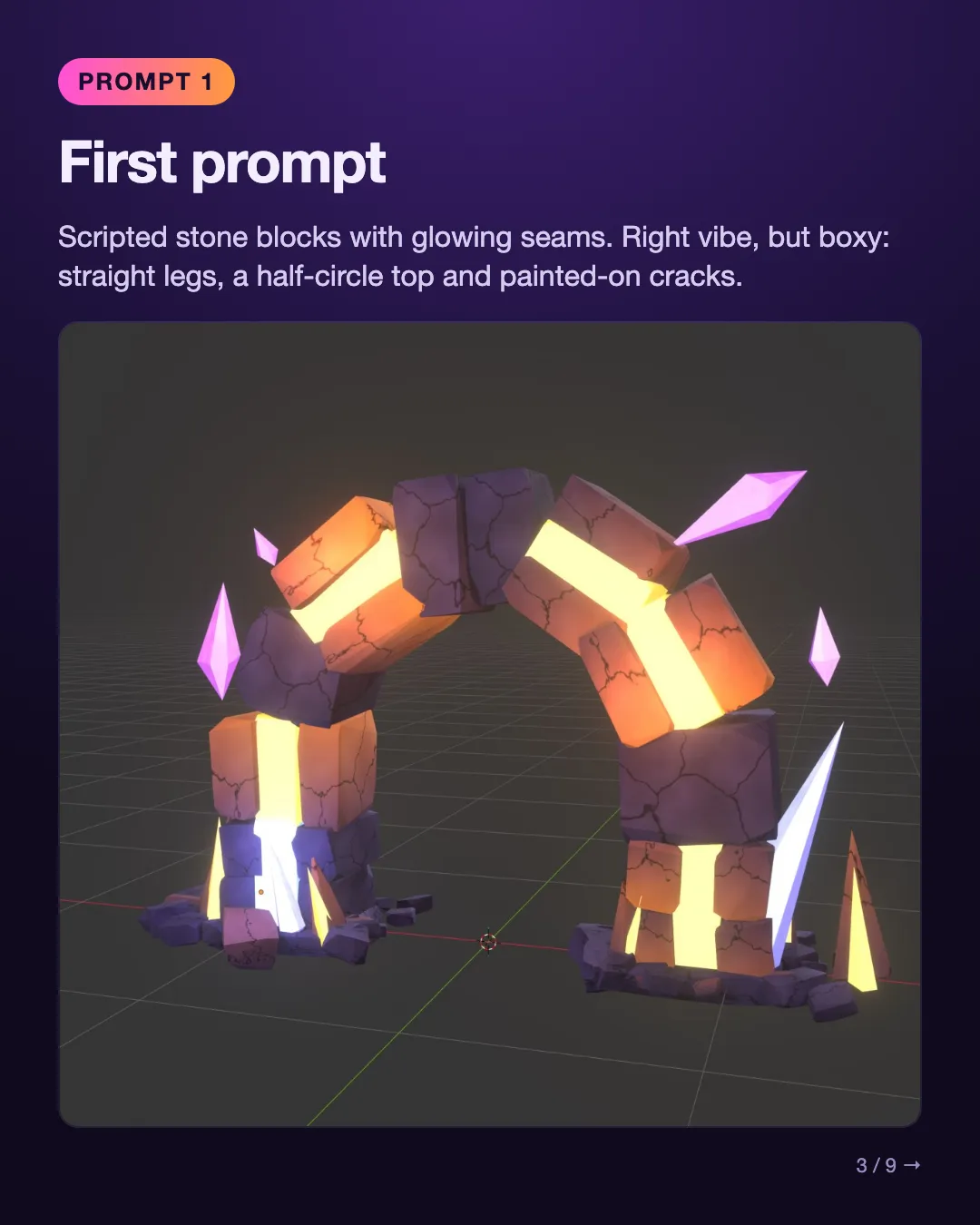
First prompt
Scripted stone blocks with glowing seams. Right vibe, but boxy: straight legs, a half-circle top and painted-on cracks.
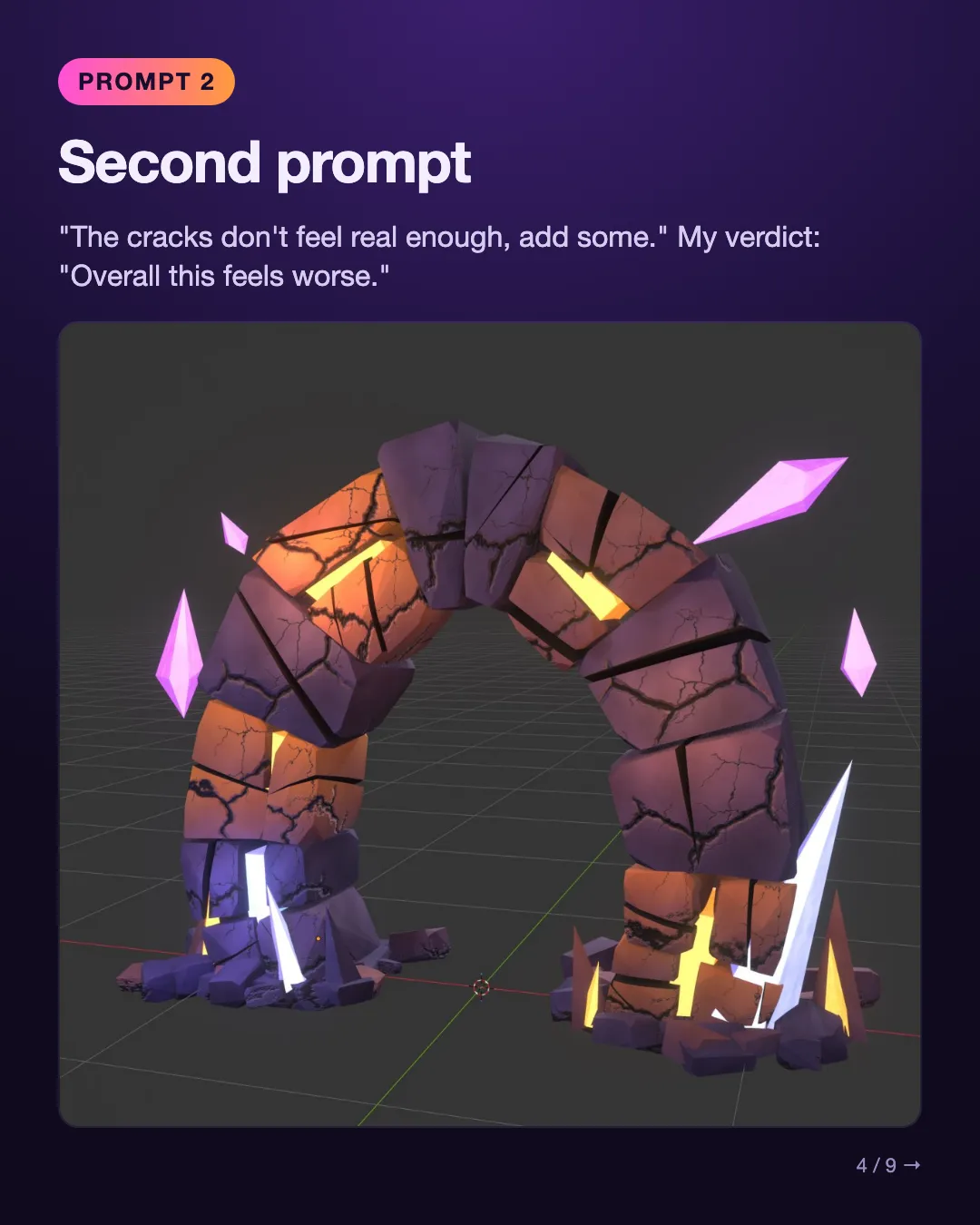
Second prompt
"The cracks don't feel real enough, add some." My verdict: "Overall this feels worse."
Third prompt
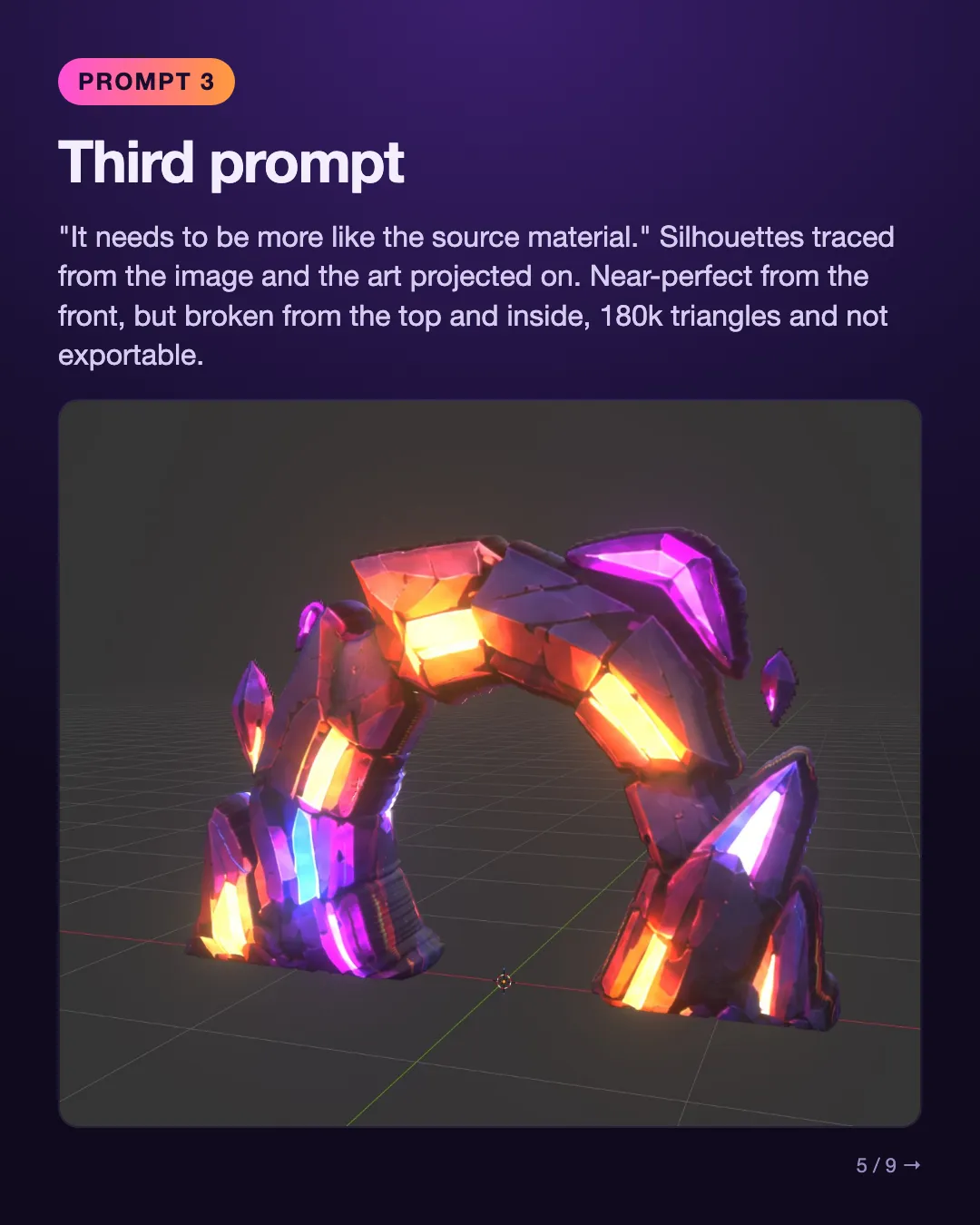
"It needs to be more like the source material." Silhouettes traced from the image and the art projected on. Near-perfect from the front, but broken from the top and inside, 180k triangles and not exportable.
A new approach
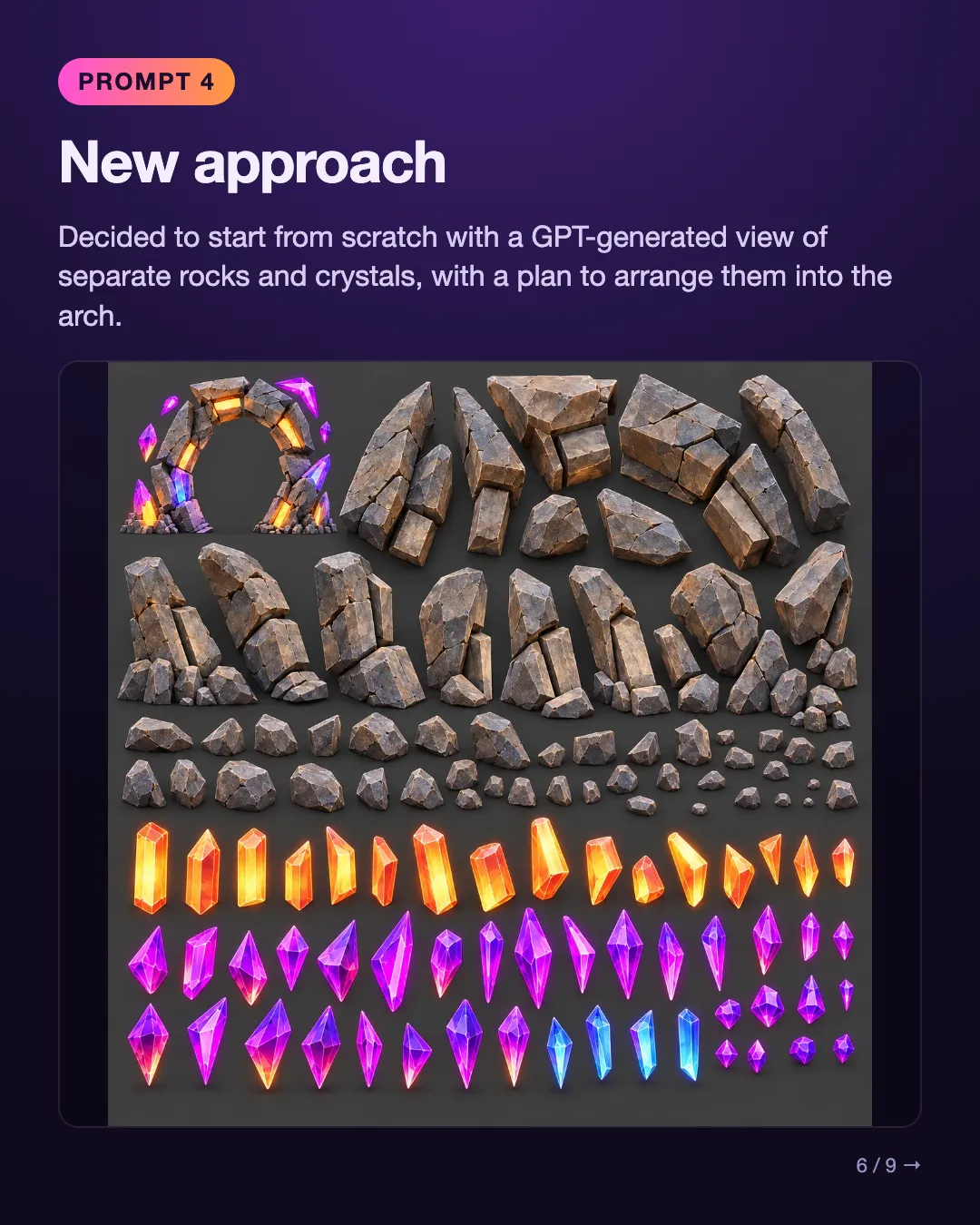
I decided to start from scratch with a GPT-generated view of separate rocks and crystals, with a plan to arrange them into the arch.
Building blocks
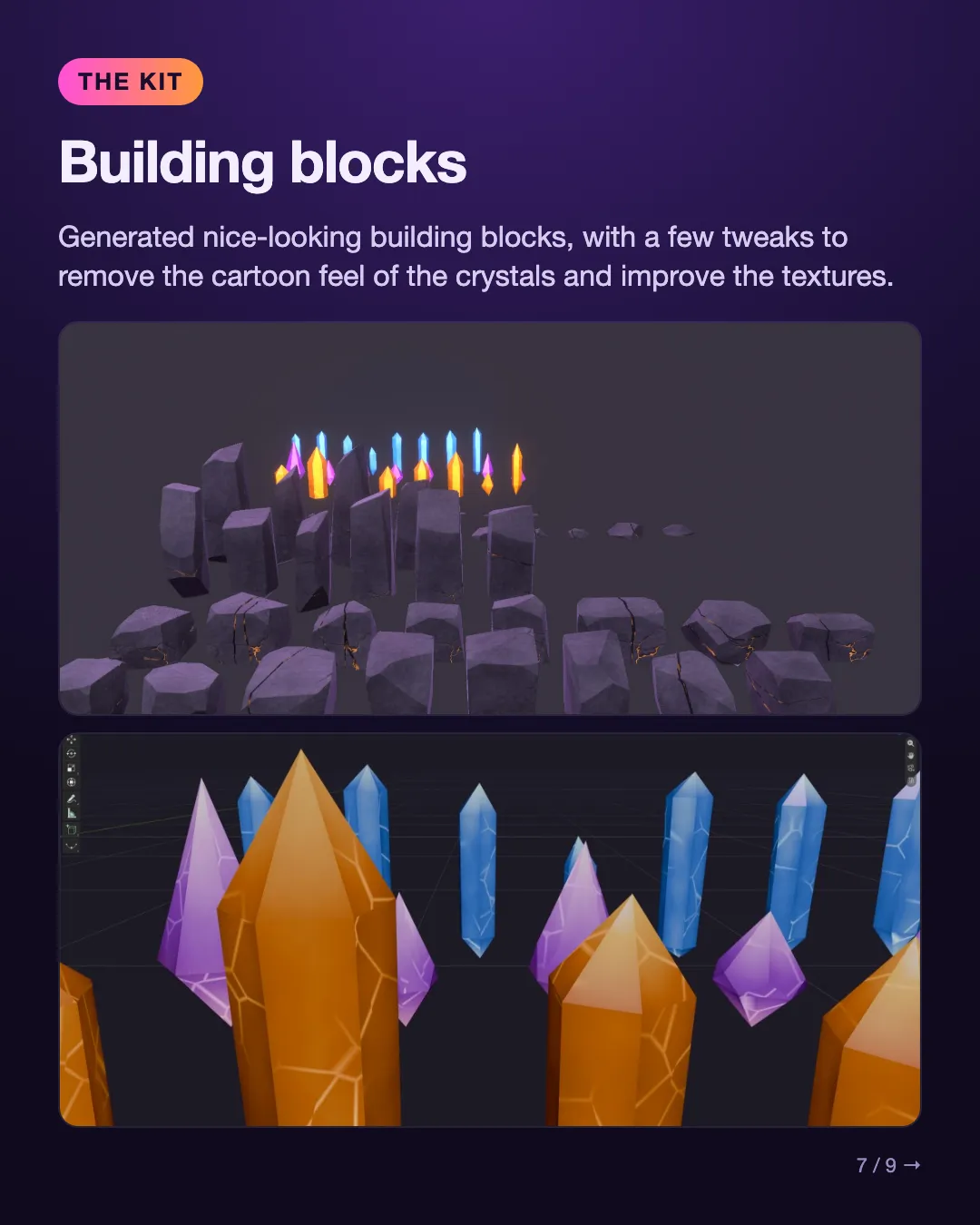
Opus generated nice-looking building blocks, with a few tweaks to remove the cartoon feel of the crystals and improve the textures.
Final result
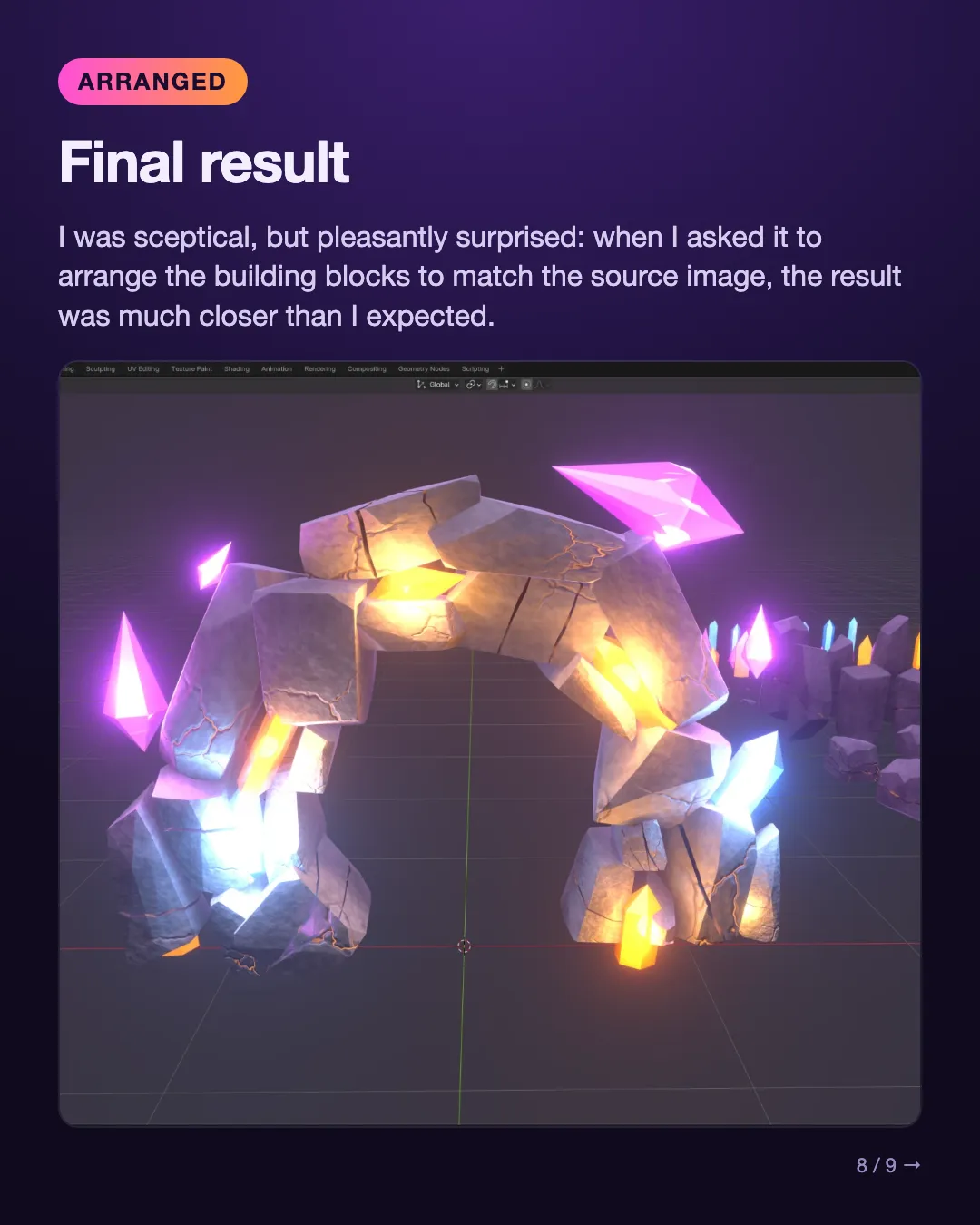
I was sceptical, but pleasantly surprised: when I asked it to arrange the building blocks to match the source image, the result was much closer than I expected.
What I learned
Bear in mind, this is a hobby project, and I'm sure there's better advice out there. But, for me:
- Just dropping source images into Opus and asking it to build something wasn't enough.
- I found that prompting the model to build smaller building blocks was much more productive.
- Ultimately, it built something beyond my skill set and allowed me to generate a GLB file for a WebXR game, with a sensible triangle count and baked-in lighting and textures. It seems to perform really well in my tests.
- Keep pushing yourself 😉
If you've experimented with this kind of Blender MCP workflow, especially if you've had better results, I'd love to hear any pointers or tips!
Originally posted on LinkedIn.